Incident Investigation Report: Operation 'BRabbit' — Bad Rabbit Ransomware Threat Intelligence
Platform: CyberDefenders
Challenge: BRabbit
Category: Threat Intelligence / Malware Analysis
Difficulty: Medium
Tools: Eml Analyzer, VirusTotal, ANY.RUN, Static Analysis (IDA/Strings)
Achievement: Proof of Completion
1. Executive Summary
Incident Type: Ransomware / Phishing
Malware Family: Bad Rabbit
This investigation reconstructs a Bad Rabbit ransomware attack chain by analyzing phishing emails, persistence mechanisms, and MBR modification using dynamic analysis and MITRE ATT&CK mapping. The attack began with a phishing email using a typosquatting domain to deliver a malicious executable disguised as a PDF. Post-execution, the ransomware established persistence via scheduled tasks, attempted lateral movement using hardcoded credentials, and modified the Master Boot Record (MBR) to render systems unbootable.
2. Phase 1: Phishing Analysis (Question 1)
Objective: Identify the vector of the attack and the suspicious sender.
The investigation began with an .eml file named “Urgent Contract Action”. By analyzing the email headers, we can determine the legitimacy of the sender and the techniques used to deceive the victim.
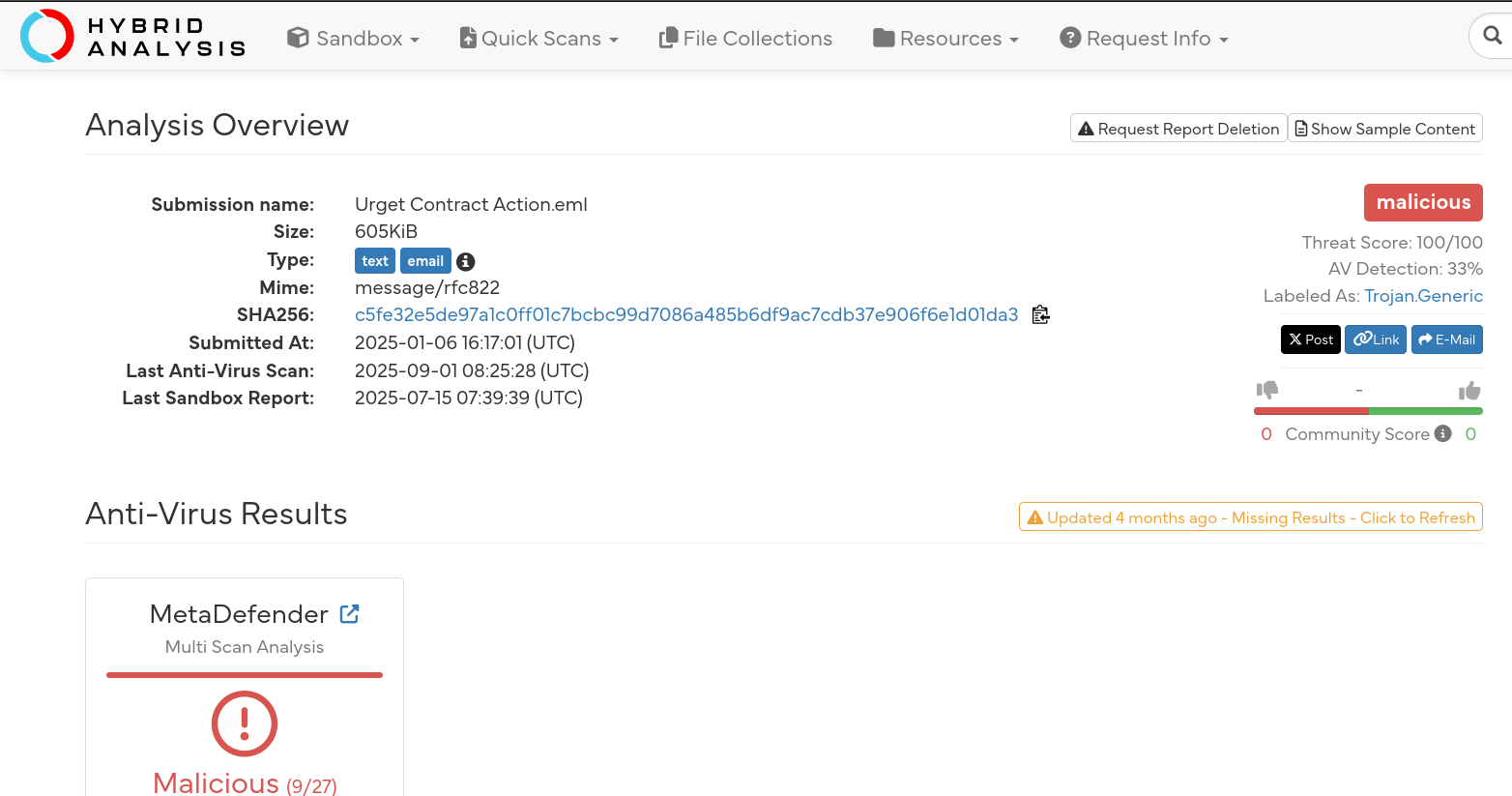

Header Analysis
Subject Line:
Immediate Action Required: Your Employment Contract- Observation: Creates a sense of urgency to pressure the user into clicking without thinking.
Sender Display Name:
Drumbo®Return-Path:
Return@alaho-akbar.dezoeteinval.co.za(Highly suspicious, unrelated to the company).Authentication Results:
dkim=pass,spf=pass,dmarc=pass(The email technically passed checks for the sending domaindezoeteinval.co.za, but this domain is likely compromised or malicious, not the actual corporate domain).
The “From” Address Deception
Looking closely at the From header reveals the core deception:
Legitimate Domain:
Drumbo.comSender Address:
theceojamessmith@Drurnbo.com
Analysis: The attacker used a Typosquatting attack. They registered Drurnbo.com (replacing the m with rn), which looks nearly identical to Drumbo.com at a quick glance.
Answer Q1
What is the suspicious email address that sent the attachment?
theceojamessmith@Drurnbo.com
3. Phase 2: Malware Identification (Questions 2 & 3)
Objective: Analyze the attachment and identify the malware family and its installation behavior.

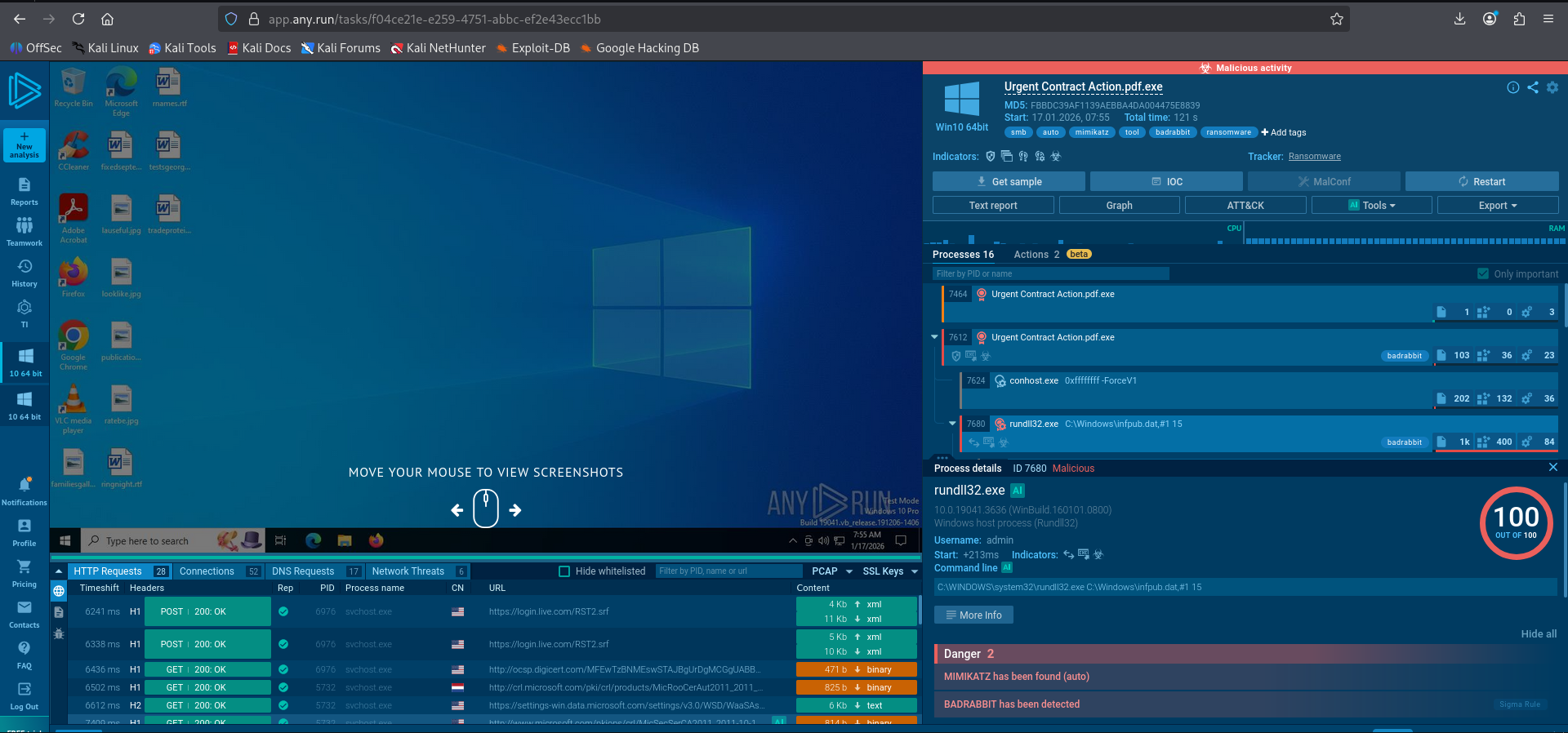
The Attachment
File Name:
Urgent Contract Action.pdf.exeMasquerading: The attacker used a “Double Extension” trick. The file ends in
.exe(executable) but includes.pdfbefore it. Windows often hides the final extension, making it look like a PDF document. Additionally, the file icon was set to the Adobe Flash Player icon to further trick the user if they noticed it was an executable.
Dynamic Analysis (ANY.RUN Results)
Upon detonating the file Urgent Contract Action.pdf.exe in the ANY.RUN sandbox, the following behaviors were observed:
Execution: The file ran and immediately spawned
rundll32.exe.Dropper Behavior: The malware dropped three specific files into the
C:\Windows\directory:infpub.datcscc.datdispci.exe
Threat Intelligence: Cross-referencing the file hash
630325cac09ac3fab908f903e3b00d0dadd5fdaa0875ed8496fcbb97a558d0daon VirusTotal identifies this signature as Bad Rabbit (Diskcoder.D). This is a notorious ransomware strain related to the Petya/NotPetya family.
Answer Q2
What is the family name of the ransomware identified during the investigation?
BadRabbit
Installation Sequence
The sandbox logs show that immediately after the initial dropper runs, it executes a specific command line to launch its main payload:
Command:
rundll32.exe C:\Windows\infpub.dat,#1 15This confirms that
infpub.datis the primary malicious DLL dropped by the ransomware to control the infection process.
Answer Q3
What is the name of the first file dropped by the ransomware?
infpub.dat
4. Phase 3: Static Analysis & Lateral Movement (Question 4)
Objective: Investigate how the malware attempts to spread through the network.
Bad Rabbit is known for being a “wormable” ransomware. It doesn’t just encrypt the local machine; it tries to jump to other computers on the same network using the SMB protocol (Server Message Block).
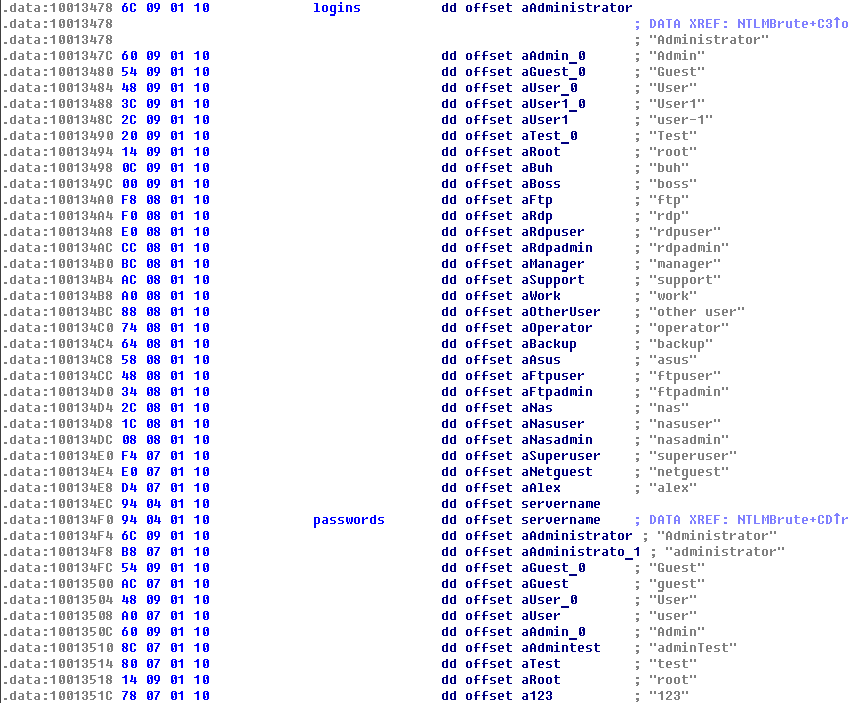
Hardcoded Credentials
To spread via SMB, the malware contains a hardcoded list of common usernames and passwords. It uses these to attempt “Brute Force” logins against other IP addresses it finds on the network.
Analysis of infpub.dat:
By performing a static analysis (viewing the strings or code in a disassembler like IDA Pro) of the infpub.dat file, we can see the credential list located in the .data section.
Generic Users: The list includes standard accounts like
Administrator,Guest,User,Root,Support.Specific Discovery: Buried within this generic list is a single specific human name.
Evidence:
Looking at the hex dump/strings view provided:
1
2
.data:100134E4  E0 07 01 10    dd offset aNetguest   ; "netguest"
.data:100134E8  D4 07 01 10    dd offset aAlex       ; "alex"
Answer Q4
What is the only person’s username found within the dropped file?
alex
5. Phase 4: Command and Control (Question 5)
Objective: Determine how the malware communicates with its infrastructure.
Network Traffic Analysis
Reviewing the network logs in the ANY.RUN report, we observed multiple HTTP and HTTPS requests initiated by the malware processes.
Protocols: The malware uses standard web protocols (
GETandPOSTrequests over ports 80 and 443).Stealth: By using common web protocols, the malware blends its malicious traffic with legitimate user browsing, making it harder for firewalls to block without deep packet inspection.
MITRE ATT&CK Mapping
The use of standard HTTP/S for C2 communication maps directly to the “Application Layer Protocol” technique, specifically the sub-technique for Web Protocols.
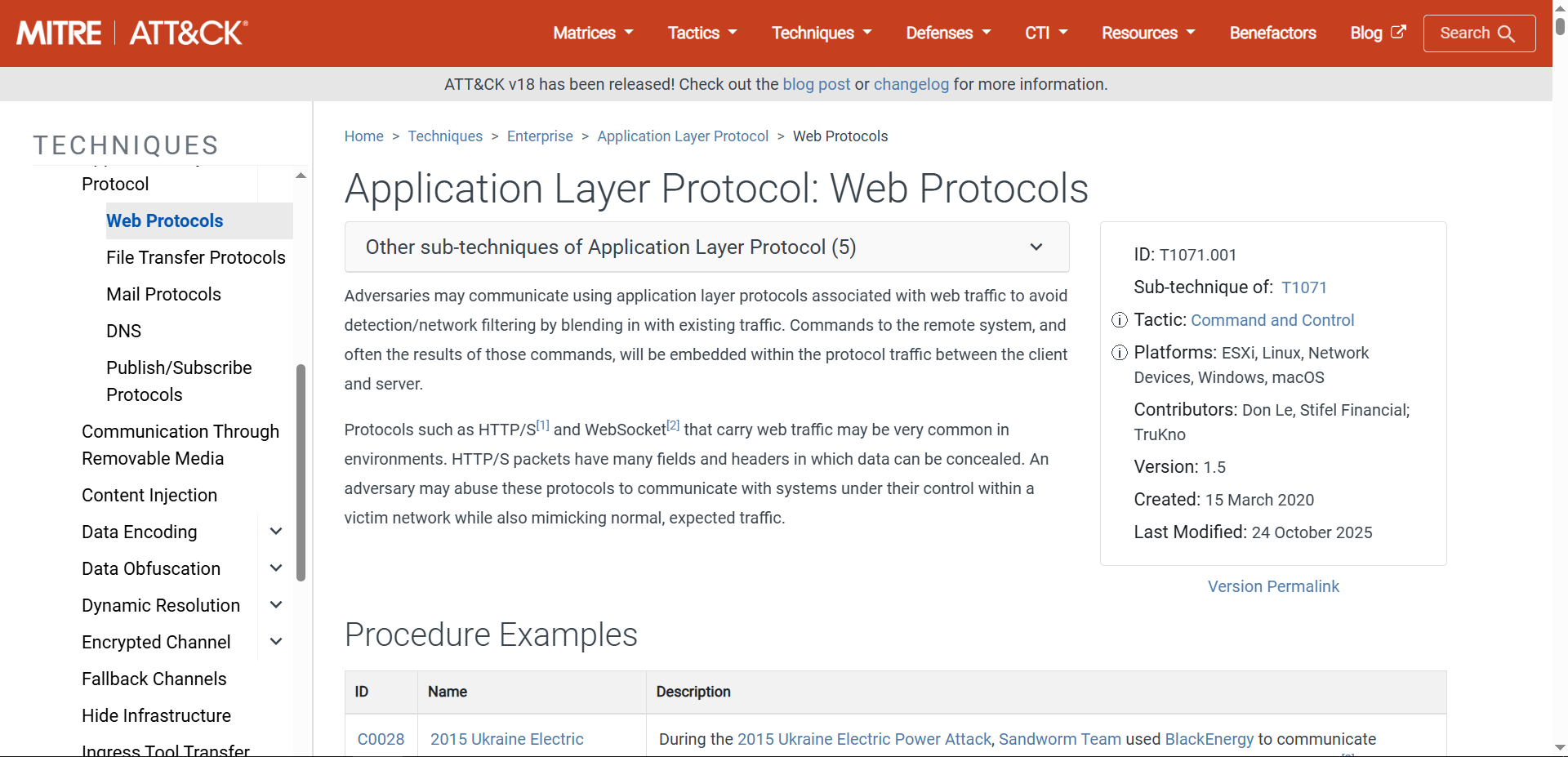
Answer Q5
What MITRE ATT&CK sub-technique describes the ransomware’s use of web protocols?
T1071.001
6. Phase 5: Persistence (Question 6)
Objective: Identify how the malware maintains a foothold on the system.
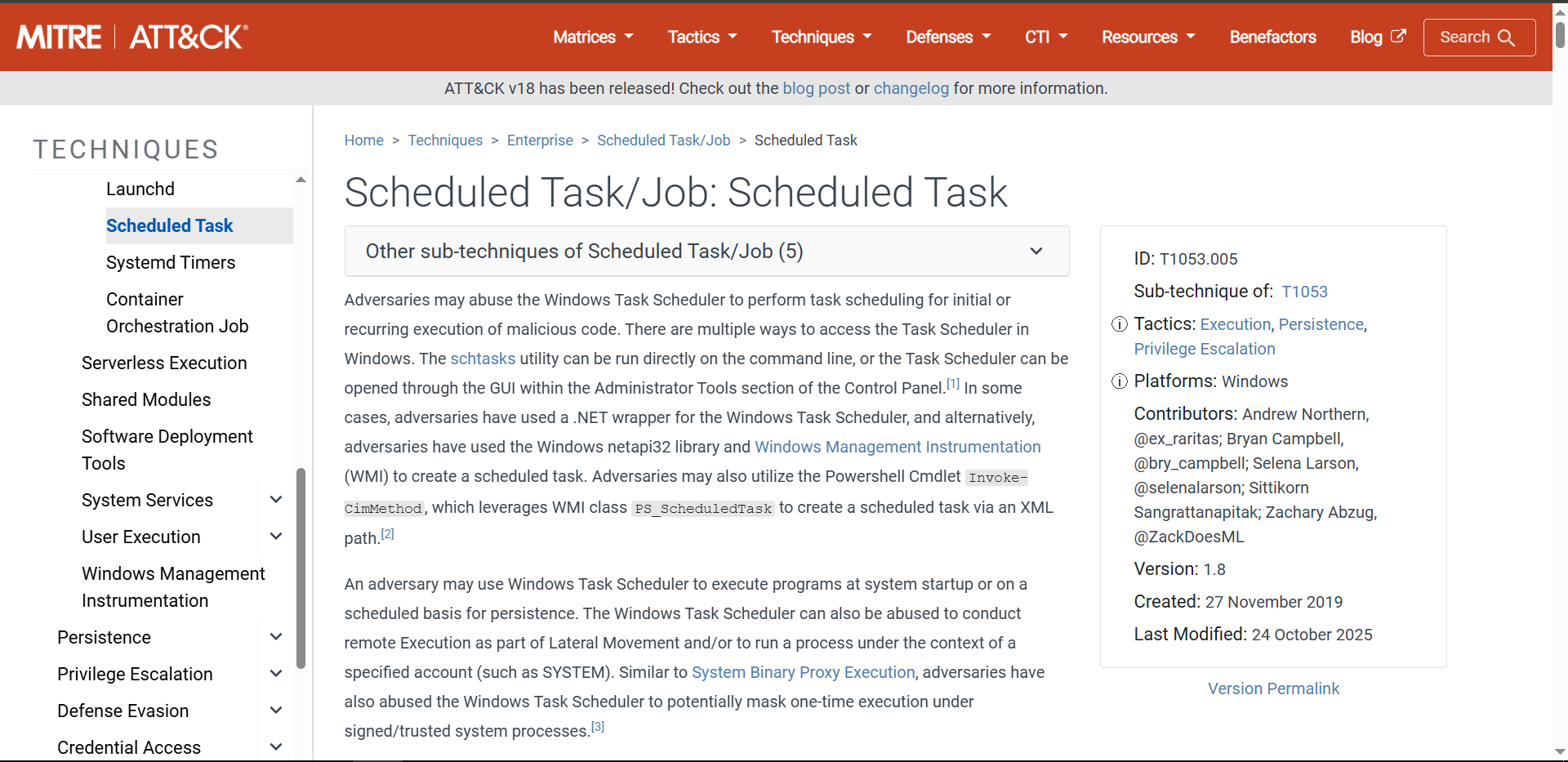
Scheduled Task Creation
The sandbox analysis reveals that the ransomware achieves persistence by creating scheduled tasks. This ensures that even if the computer is rebooted, the malicious code (specifically the encryption or bootlocker components) will run automatically.
Evidence
The process tree shows rundll32.exe spawning cmd.exe, which then runs schtasks.exe with the /Create flag. This effectively registers new tasks with the Windows operating system.
Answer Q6
What is the MITRE ATT&CK Sub-Technique ID associated with the ransomware’s persistence technique?
T1053.005
7. Phase 6: Task Scheduling (Question 7)
Objective: Identify the specific persistence artifacts created on the system.
Task Analysis
Examining the arguments passed to the schtasks.exe command in the sandbox logs reveals the names the attacker assigned to the malicious tasks. These names are references to the TV show Game of Thrones.
Task 1: Found in the command
schtasks /Create ... /TN rhaegal ....Task 2: Found in the command
schtasks /Create ... /TN drogon ....
Answer Q7
What are the names of the tasks created by the ransomware during execution?
rhaegal, drogon
8. Phase 7: Defense Evasion (Question 8)
Objective: Analyze the malware’s interaction with the user and security controls.
Console Output Analysis
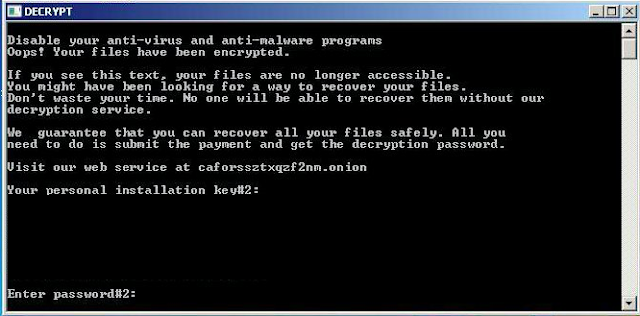
As observed in the console window spawned by the malware (specifically the dispci.exe component), the attacker displays a brazen message to the user. This is a social engineering tactic intended to trick the user into facilitating the encryption process if the automated methods fail or to prepare them for the ransom note.
According to the analysis by Cisco Talos, this text is displayed directly by the malicious binary as it prepares the system for the final encryption stage.
Evidence
The console displays the text:
“Disable your anti-virus and anti-malware programs”
Answer Q8
What suspicious message was displayed in the Console upon executing this binary?
Disable your anti-virus and anti-malware programs
9. Phase 8: Encryption Mechanism (Question 9)
Objective: Understand how the malware renders the system unusable.
Driver Analysis
To encrypt the victim’s data at the disk level, Bad Rabbit drops a kernel-mode driver named cscc.dat into the Windows directory. Analysis reveals that this is not custom malware code, but rather a signed driver from the legitimate open-source disk encryption project DiskCryptor.
Installation Technique
The malware installs this driver by modifying the Registry keys for UpperFilters and LowerFilters. This places the malicious driver in the I/O stack for the hard drive, allowing it to intercept all read/write operations and encrypt the disk raw, rather than just encrypting individual files like other ransomware.
Answer Q9
What is the name of the driver used to encrypt the hard drive and modify the MBR?
diskcryptor
10. Phase 9: Attribution (Question 10)
Objective: Identify the threat actor behind the campaign to understand their motives and TTPs (Tactics, Techniques, and Procedures).
Threat Intelligence Correlation
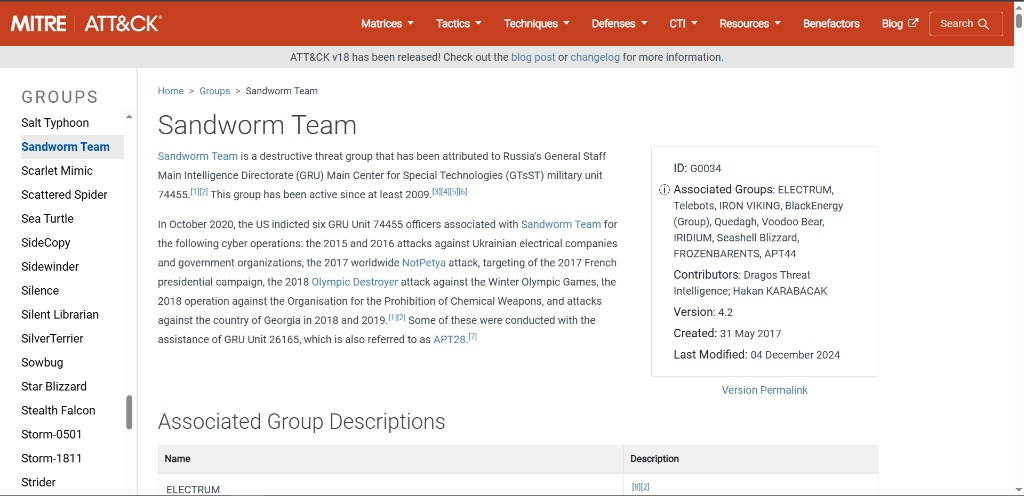
According to the Cisco Talos report and wider security industry consensus, the Bad Rabbit campaign has distinct code similarities to the NotPetya attacks. Both campaigns have been attributed to the Sandworm Team (also tracked as Telebots).
Adversary Profile
Sandworm is a Russian cyber-military unit (GRU Unit 74455) known for destructive attacks against Ukraine, including attacks on the power grid and the release of the NotPetya wiper. Their use of Bad Rabbit was likely another targeted disruption campaign disguised as criminal ransomware.
Answer Q10
What is the name of the threat actor responsible for this ransomware campaign?
Sandworm
11. Phase 10: System Destruction (Question 11)
Objective: Classify the technique used to render the system unbootable.
Technique Identification
The Bad Rabbit ransomware goes beyond simple file encryption; it installs a malicious bootloader (the dispci.exe component) that overwrites the legitimate Master Boot Record (MBR). This action prevents the Windows operating system from loading, effectively “bricking” the boot process until the ransom note is displayed.
MITRE Mapping
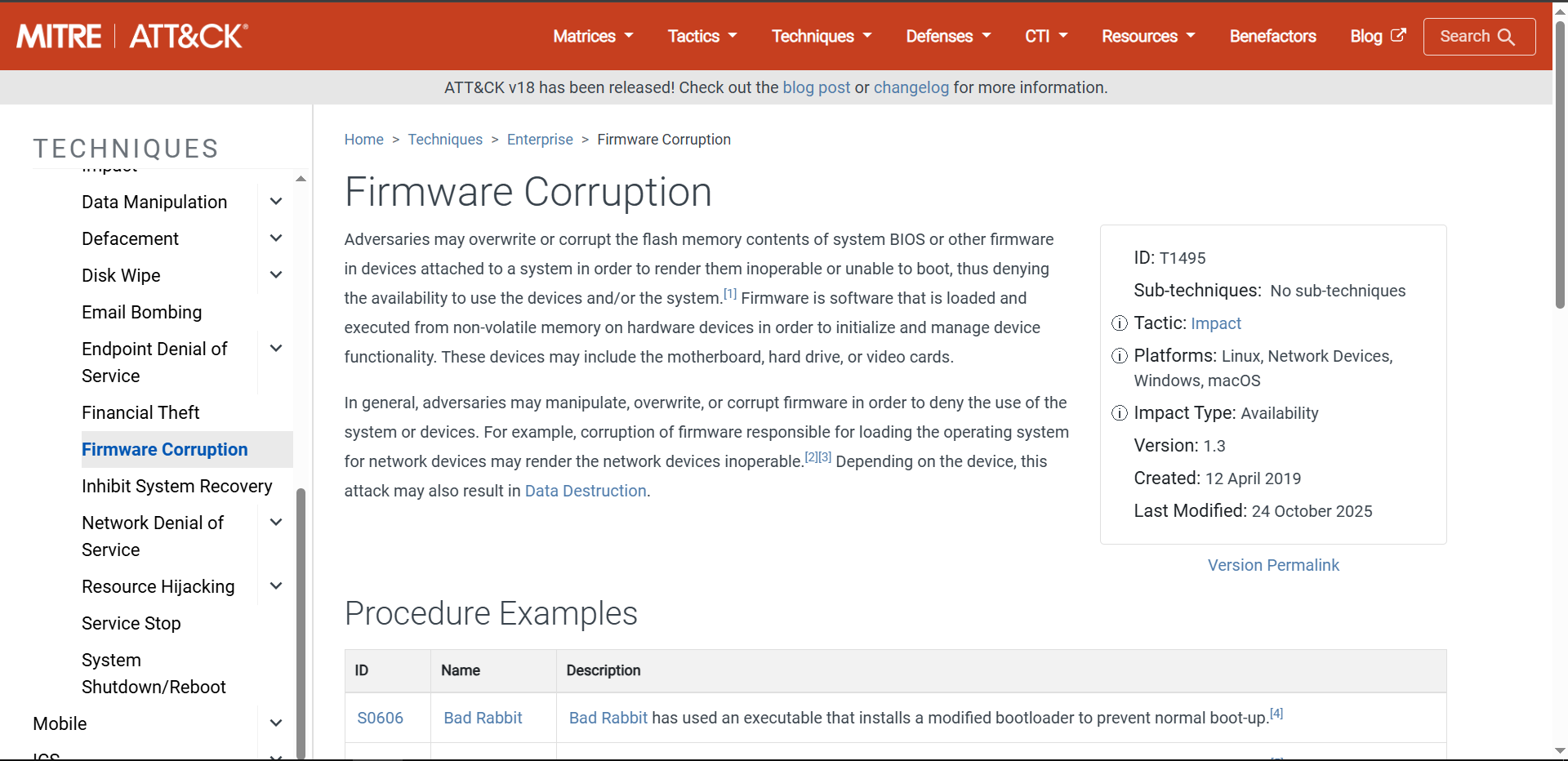
According to the MITRE ATT&CK framework, modifying the system BIOS, MBR, or other firmware to deny availability falls under the Impact tactic. Specifically, this is classified as Firmware Corruption.
Answer Q11
What is the MITRE ATT&CK ID for the technique used to corrupt the system firmware and prevent booting?
T1495
12. Conclusion
The BRabbit investigation demonstrates a complete ransomware attack chain from initial phishing delivery to system destruction. Key findings include:
Initial Access: Phishing email using typosquatting (
Drurnbo.comvsDrumbo.com) with a double-extension executable masquerading as a PDF.Execution: Multi-stage dropper deploying
infpub.dat,cscc.dat, anddispci.exeviarundll32.exe.Lateral Movement: Hardcoded credential lists (including username
alex) for SMB brute-force propagation.Persistence: Scheduled tasks named after Game of Thrones dragons (
rhaegal,drogon).Impact: MBR modification using the legitimate DiskCryptor driver to render systems unbootable.
Attribution: Strong ties to the Sandworm APT group (GRU Unit 74455).
Key Takeaways for the SOC:
- Email Security: Implement lookalike domain detection to catch typosquatting attacks.
- Endpoint Detection: Monitor for
rundll32.exeloading DLLs from unusual locations (C:\Windows\*.dat). - Behavioral Analysis: Alert on scheduled task creation with unusual names or pointing to system directories.
- Network Segmentation: Limit SMB traffic between workstations to prevent lateral movement.
Analysis Date: January 17, 2026
Analyst: El OMARI Zakaria